
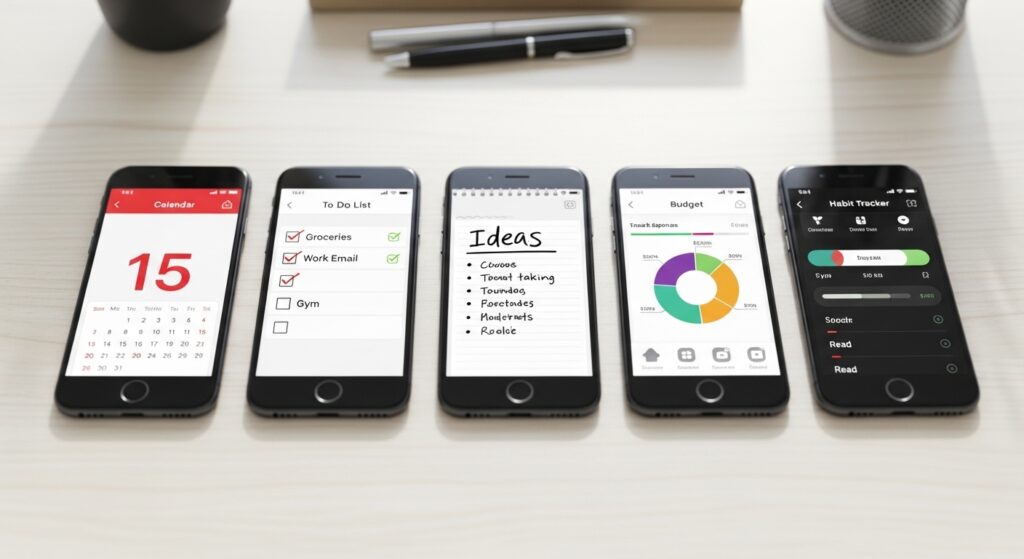
Organization is key. In these chaotic times, it really boils down to who is the most organized and how much they get done.
Why does it matter so much?
Organization isn’t a means to an end. But it’s what helps you get there. A few decades ago, this was a difficult and messy process that really racked your brain, before you actually got everything together. But by then, you would be too tired to take action.
However, with improvement in tech and the rise of mobile applications, you can get there easily, stay mentally active, and be ready to tick off task number one.
The best thing?
You can find many different apps to organize the spheres of life that matter. While there isn’t a single app to do everything, you can use a combination of multiple apps. But before you do, ensure you’re connected to a reliable high-speed internet for seamless organization.
For this, my go-to has been Cox Internet, thanks to its reliable speeds and great support when needed. Plus, it’s widely available, and I could find it even when I moved. With that sorted out, let us dive into apps that will help you organize and master control of your everyday life.
Headspace (Meditation)
- Available on: iOS, Android
- Type: Free & Premium Tiers
- Trial: 14 days
First of all, let’s face it, organizing is only good when the mental health is in check. One must be mentally healthy and stress-free to pursue everyday activities.
Headspace is a meditation app. I know it sounds like that takes too much time, but trust me, it is a game-changer for focus and releasing stress. There are over 1000 exercises that can be done to release stress, sleep better, and focus.
There is a mix of exercises, some are visual, some auditory. There are shorter ones if you have less time. But the key isn’t to empty your mind, but how to connect the body and mind. It’s really good if you’re hyper stressed, going through anxiety, or just need a little self-love.
However, while the app shares demographics with advertisers, it is HIPAA compliant, which means it protects personal health information.
Worry Watch (Mood Tracking)
- Available on: iOS
- Type: Free & Premium Tiers
- Trial: No Free Trial
Worry Watch is an app for tracking anxiety and mood. It was built to help analyze and rewrite negative and demotivating thoughts. This is done by incorporating Cognitive Behavioural Therapy (CBT).
The human brain is like a sponge, so feeding it negative thoughts for long can hamper proactive growth or change. And this app can help reduce this. It also helps to identify stressors and triggers that cause anxiety and helps to mitigate the effects. It has proven to combat mild medical anxiety.
Meanwhile, the app does not force toxic level positivity or try to invalidate the situation. The free version is helpful but limited. It is affordable overall and does not collect user data.
Todoist (Task Management)
- Available on: iOS, Android
- Type: Free & Premium Tiers
- Trial: 30 days
Todoist is the best tool to get and manage everyday life. This app will be your daily helper. It allows you to create checklists for work, groceries, kids’ schedules, pet feeding times, and much more.
You can customize based on your needs, such as important dates and priorities, and create sub-lists for certain projects. For example, you can create separate projects for kids, work, personal, and chores, allowing you to get different reminders for each category.
The free version offers 5 active projects at a time, and you’ll need the premium version for more.
Calendly (Scheduling)
- Available on: iOS, Android
- Type: Free & Premium Tiers
- Trial: 14 days for the Team plan
Calendly focuses on helping with scheduling and is designed for people with small businesses, freelancers, or individuals. It is an easy-to-use app. It can help set up meetings without the hassle of talking and is great for people with side hustles.
This is because it lets your clients build your schedule for you, such as setting up a meeting with you in your free time.
The free version doesn’t offer much, besides one appointment and no customization, so the paid version is better and much more helpful. It’s been my go-to since I started freelancing.
Asana (Project Management)
- Available on: iOS, Android
- Type: Free & Premium Tiers
- Trial: 14 days for the Team plan
Asana has been the go-to service I’ve relied on for years.
It is a great app to manage team or personal productivity. However, it is mainly designed for large teams or businesses. It streamlines the workflow, helps connect with other people, and allows tracking projects from start to finish.
It has fun characters that pop up when you get things done. With this, you don’t need other apps to assign tasks, manage work, or message anyone; it has all of that sorted in one clean interface.
It is free for teams of up to 10 people. For the big companies, you can manage a large team, use AI-based features, and much more.
Smartphone Apps: A Great Way to Organize Your Daily Life
These are some of the apps that will help you organize your daily life, from apps that help manage work to apps that help with minor chores, and those that strengthen your mind.
Just incorporating three such apps in your life, the majority of everyday life will feel less chaotic, so you can focus on other things, such as family, friends, and hobbies. And isn’t life just great when you’re organized, peaceful, and driven?